
A faster alternative to Sigma Photo Pro
Sigma Photo Pro (SPP) is the reference converter for Foveon files, but going through a whole shoot with it is slow. Fast Photo Sorter is made for that first part of the job: look at every shot, keep the good ones, export them.
Where Sigma Photo Pro slows you down
SPP decodes each X3F file in full before showing it, and with the larger Merrill and Quattro files that takes several seconds per photo. Fine for finishing one image, tiring when you have three hundred to sort.
How Fast Photo Sorter is different
- Instant browsing. The thumbnail strip fills in at once and you move through the folder with the arrow keys, using the JPEG preview embedded in each file.
- Full RAW when you need it. Native X3F decoding, accelerated on the GPU when available. On our test PC a full sd Quattro H file opens in about half the time SPP needs.
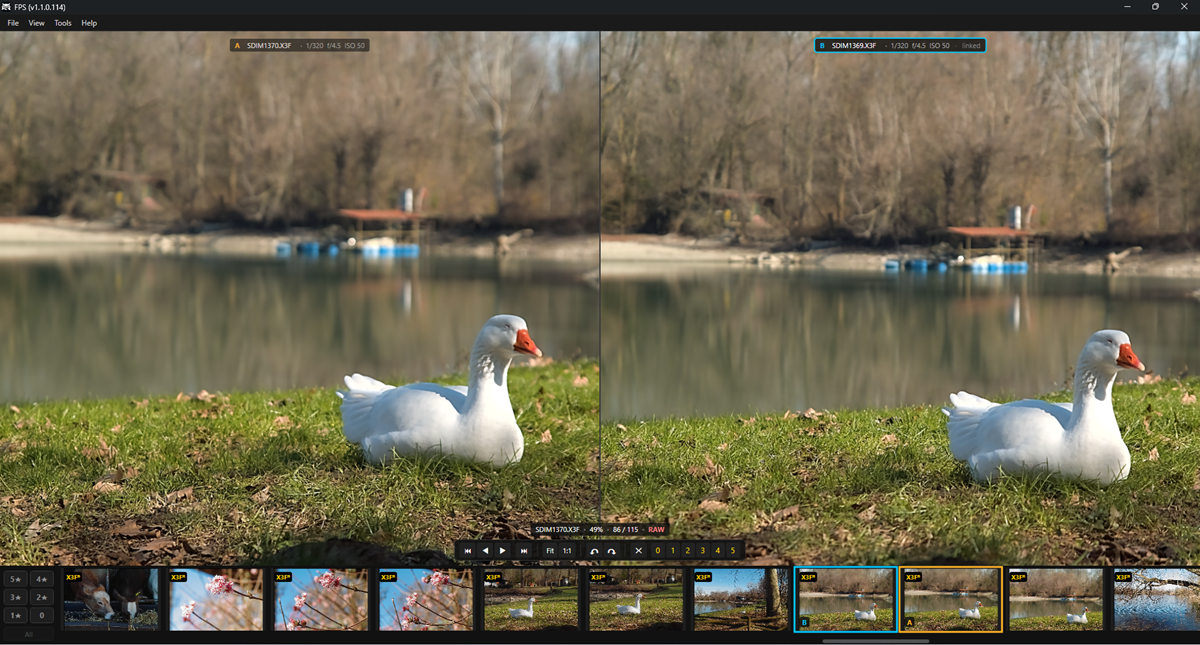
- Built for culling. Star ratings and reject from the keyboard, rating filters across subfolders, side-by-side compare with linked zoom.
- Blown highlights at a glance. Press J for a zebra warning computed from the Foveon sensor data.
- 16-bit TIFF or JPEG export of a single photo or a whole rated selection, with presets and a before/after view.
- DNG export. Save your X3F files as linear DNG and finish them in Lightroom or Camera Raw.
- Texture like SPP. A Texture slider brings out the grain of rock and bark the way Sigma Photo Pro does.
- The SPP color modes. Standard, Vivid, Neutral, Portrait, Landscape, FOV Classic Blue and Monochrome, matched to Sigma Photo Pro, plus Highlights and Fill Light sliders.
- X3I and bracket stacking. Merge an SFD X3I or hand-held brackets into one HDR image, average a series for less noise, or smooth water with the long exposure mode. See Stacking.
Use them together
Fast Photo Sorter doesn't try to replace SPP for fine-art processing. Sort and rate your shoot in Fast Photo Sorter, then open the keepers in Sigma Photo Pro straight from the app (right click → Open in → Sigma Photo Pro), or export them to TIFF and finish them in your usual editor, or to DNG to continue in Lightroom or Camera Raw.
Which cameras
Every Sigma Foveon camera, from the SD9 and SD10 to the Merrill and Quattro generations, including the DP compacts and the sd Quattro H. Fast Photo Sorter runs on Windows 10 and 11 (64-bit).